Problem
You would like to check your haproxy.cfg file for errors when making changes.
Solution
Use the following command to validate/check your HAProxy configuration file:
ubuntu@haproxy:~$ sudo haproxy -c -V -f /etc/haproxy/haproxy.cfg

You would like to check your haproxy.cfg file for errors when making changes.
Use the following command to validate/check your HAProxy configuration file:
ubuntu@haproxy:~$ sudo haproxy -c -V -f /etc/haproxy/haproxy.cfg
Problem
You want to use the pgp encryption when using Terraform to create an AWS IAM user, and you have the secret access token returned as an output but encoded.
Solution
Use the following to get the actual secret key decoded (after copying your encoded key to a file encrypted_key.txt:
$ cat encrypted_key.txt | base64 --decode | gpg -d
You are trying to add a new workspace in your organization in Terraform Cloud, using the same connected VCS (Gitlab) as the one you already have setup, but you get the above error when trying to add it in Firefox (Linux – Ubuntu – 79).
Use Chromi(um) to create the workspace as it works there. You can then use it in Firefox as normal.
Trying to start the vault server following the guides that specify creating the data directory in /home/vault/data results in the above error and service cannot be started.
According to the guide here: https://learn.hashicorp.com/tutorials/vault/raft-deployment-guide?in=vault/day-one-raft, changing the data directory to /opt/raft and the hcl file to reflect that the server can be started without any errors.
Trying to follow along the example in the Exoscale article about creating custom templates, you get the error about exoscale-import not found, when you are trying to validate the packer template.
Make sure that you use a current packer installation as the exoscale-import was not supported in the older versions.
kosmas:terraform (add_vault *%)$ packer --version
1.0.4
So after installing the latest version the above error goes away
kosmas:terraform (add_vault *%)$ packer --version
1.6.1
You are trying to build a QEMU image with Packer, but you are getting the error suggesting to use the PACKER_LOG=1 option. But there is no indication where to place it in the command line.
Put it at the begging of the command line as folows:
kosmas:terraform (add_vault *%)$ PACKER_LOG=1 packer build vault_orchestration/template.json
You are trying to set up kubernetes on your local machine but trying to use initialize it with kubeadmin init, returns the following error:
[init] Using Kubernetes version: v1.18.3
[preflight] Running pre-flight checks
error execution phase preflight: [preflight] Some fatal errors occurred:
        [ERROR Swap]: running with swap on is not supported. Please disable swap
[preflight] If you know what you are doing, you can make a check non-fatal with `--ignore-preflight-errors=...`
To see the stack trace of this error execute with --v=5 or higher
Switch the swap to off (Ubuntu command below) and try again.
sudo swapoff -a
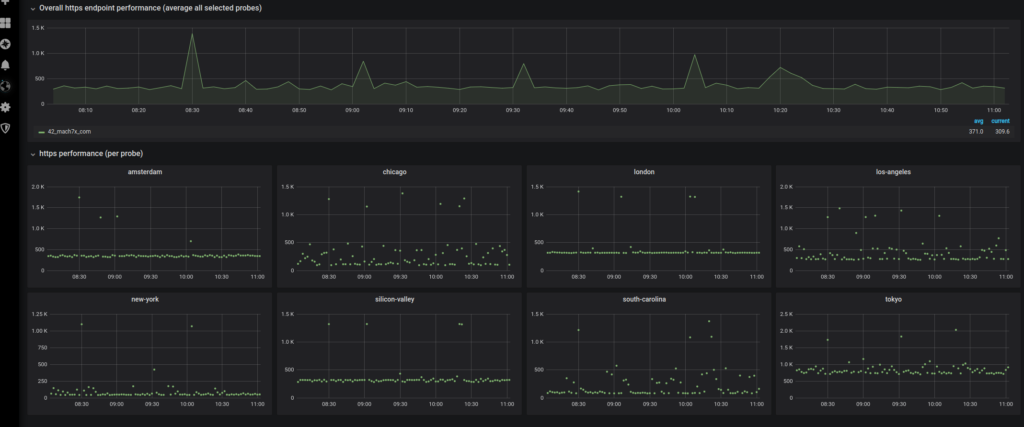
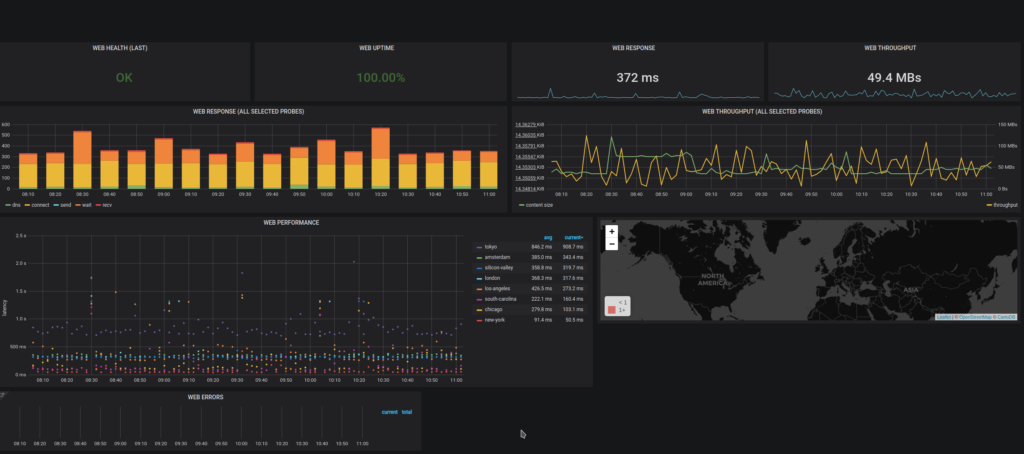
You would like to test worldPing (https://worldping.raintank.io/worldping/) in your local environment for evaluation purposes.
$ docker exec -it grafana /bin/bash
bash-5.0$ grafana-cli plugins install raintank-worldping-app
bash-5.0$ exit
$ docker stop grafana
$ docker start grafana
Trying to use the usual way of adding Gitlab’s key to the ssh agent, is not working in alpine image (but it works in debian/ubuntu), and you get the following error message:
 - ssh-add <(echo "$GITLABCICD_PRIVATE_KEY")
/bin/sh: syntax error: unexpected "("
Try to use the following instead:
- echo "$GITLABCICD_PRIVATE_KEY" | ssh-add -
You would like to have a list of IPs or MAC address for the device in your network
Use the ARP protocol’s command:
$ arp -a

dv1.home (192.168.1.102) at 48:xx:xx:xx:xx:xx [ether] on wlp4s0
dv2.home (192.168.1.127) at a4:xx:xx:xx:xx:xx [ether] on wlp4s0
...